CreationKit-Tutorials
Localizing MCM Menus
The Problem
Not everyone plays Skyrim in English. The game has been officially translated into 8 other languages (and more, unofficially). So as mod authors, we must be cognizant of that and make our mods in such a way to make the translation process as painless as possible. This document covers how to properly setup the MCM configuration menu for localization (I hope in the future I can expand this to cover quests and dialog too).
So, consider our SKI_ConfigBase script, in OnPageReset() we’re adding
the options that display in the MCM page:
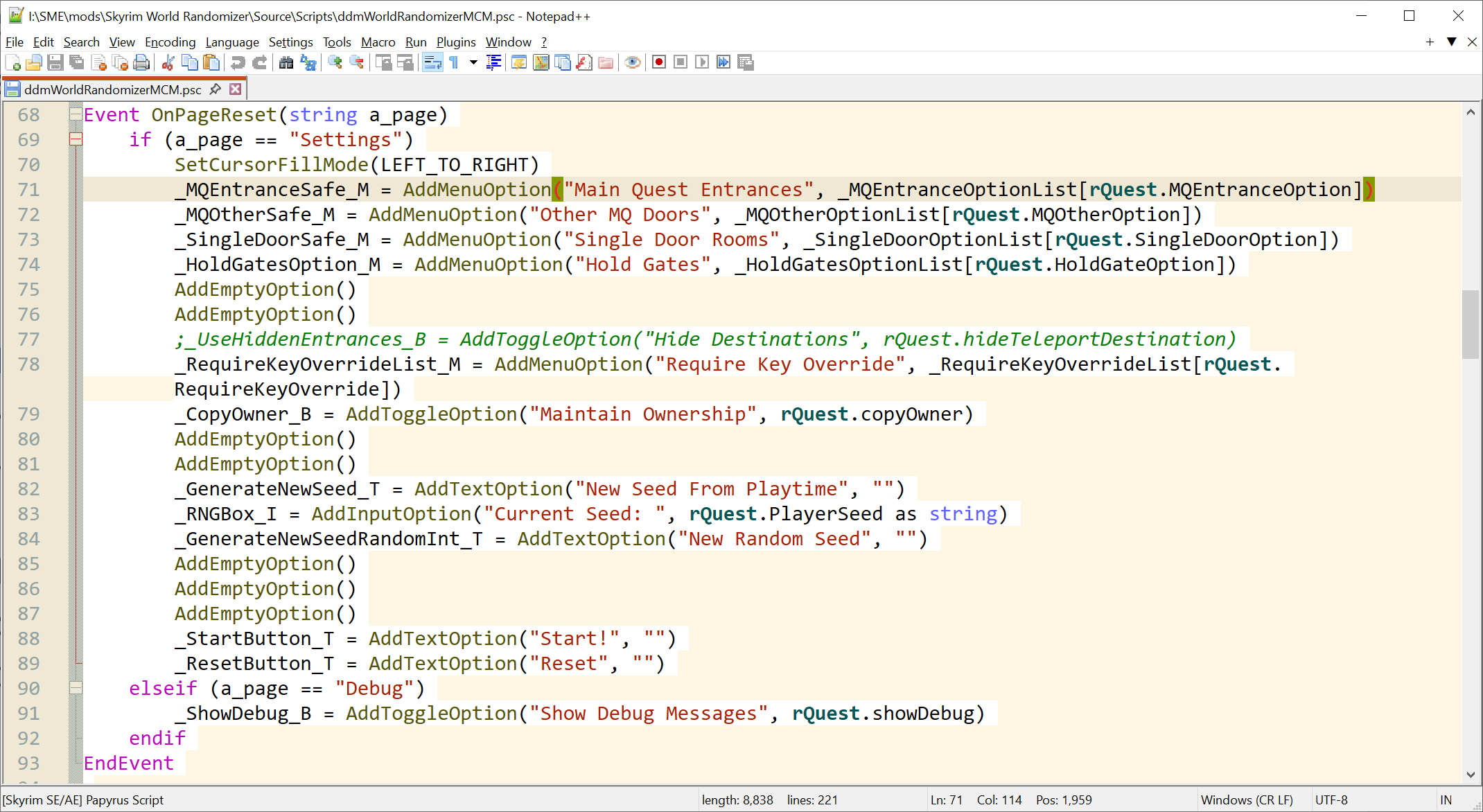
Since the text is inside the script itself, for translating the options one must copy the script file, change the texts, and recompile the file. Even ignoring the hassle of recompiling scripts (for one it’s technical, and second you may find there are layers of dependency that are cumbersome to navigate), there is a huge issue that whenever there’s an update to this script, the translation has to be updated too. In the best case scenario that means for people using the translated scripts the options would mismatch what they expect from mod, worst case is this causes script issues.
So tldr; this is pure awfulness. Lucky for us, we can use translation files to separate out the texts inside the MCM scripts.
Translation Files
Translation files are .txt file located in "Interface\Translations\" directory inside your mod. First rule is, you need a plugin file (ESP, ESM, or ESL), these files don’t load if you don’t have an ESP accompanying them. The filename must be the same as your plugin file (without the file extension), followed by the language code. So, say your mod is named “My Cool Mod.esp”, your translation file must be named “My Cool Mod_english.txt”:
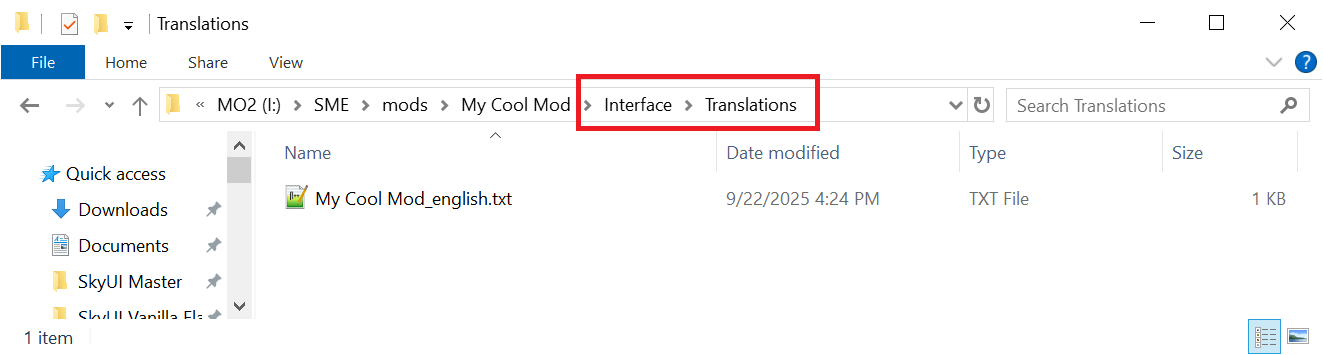
Take note of the path to our /Translations directory. Now, we have a place to put our texts.
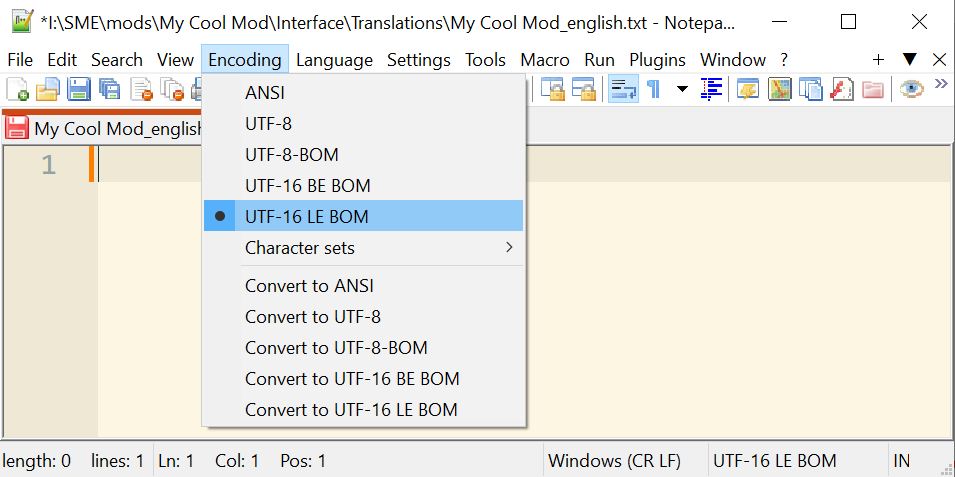
Second rule! Make sure the file encoding is set to UFT16-LE BOM, otherwise our translation file gets ignored and doesn’t load. I use Notepad++ for everything and the file encoding can be set from Encoding menu; other text editors have similar options:
Formatting the language file
So, we have our language file. Next step, we must cut the texts out of our scripts and put them here. Each individual text (read: string) must be given a “key”, and in the language file we make that specific key equal to some text. Keys are prefixed with a dollar sign, followed by a unique identifier. For example, from earlier screenshot, we have the "Main Quest Entrances" text here for example:
_MQEntranceSafe_M = AddMenuOption("Main Quest Entrances",
_MQEntranceOptionList[rQuest.MQEntranceOption])
We replace that with:
_MQEntranceSafe_M = AddMenuOption("$MAINENTRANCE",
_MQEntranceOptionList[rQuest.MQEntranceOption])
I like to use all uppercase for language keys, but that’s just my preference. Beware however, the keys are case-sensitive.
What happens when two mods use the same key for two different texts? To avoid conflicts, make sure to always prefix the keys with something unique, an abbreviation of your mod’s name, or your username, or what you prefer. Let’s update that line:
_MQEntranceSafe_M = AddMenuOption("$COOL_MAINENTRANCE",
_MQEntranceOptionList[rQuest.MQEntranceOption])
Awesome. Now let’s move to the language file. In it, you put each key on a separate line (so one key : text pair on each line). Start with the key, followed by a tab character, followed by your actual text:
$COOL_MAINENTRANCE Main Quest Entrances
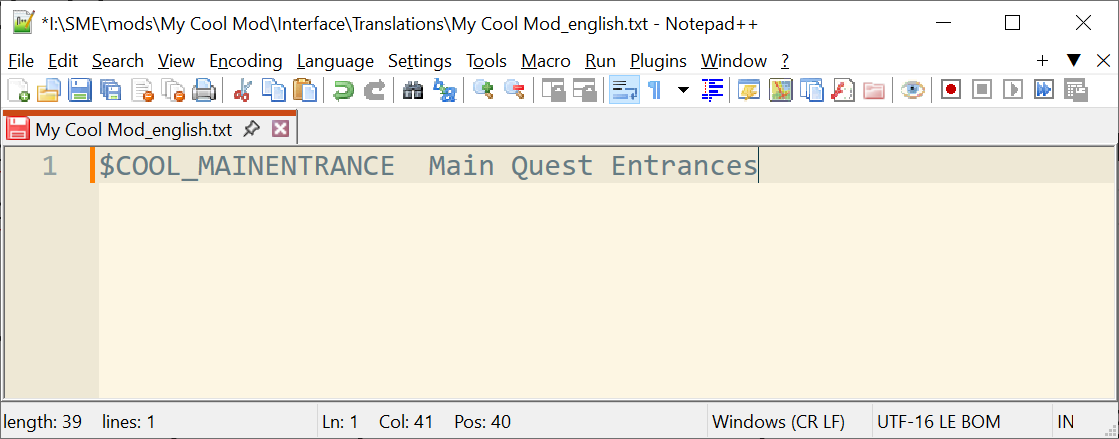
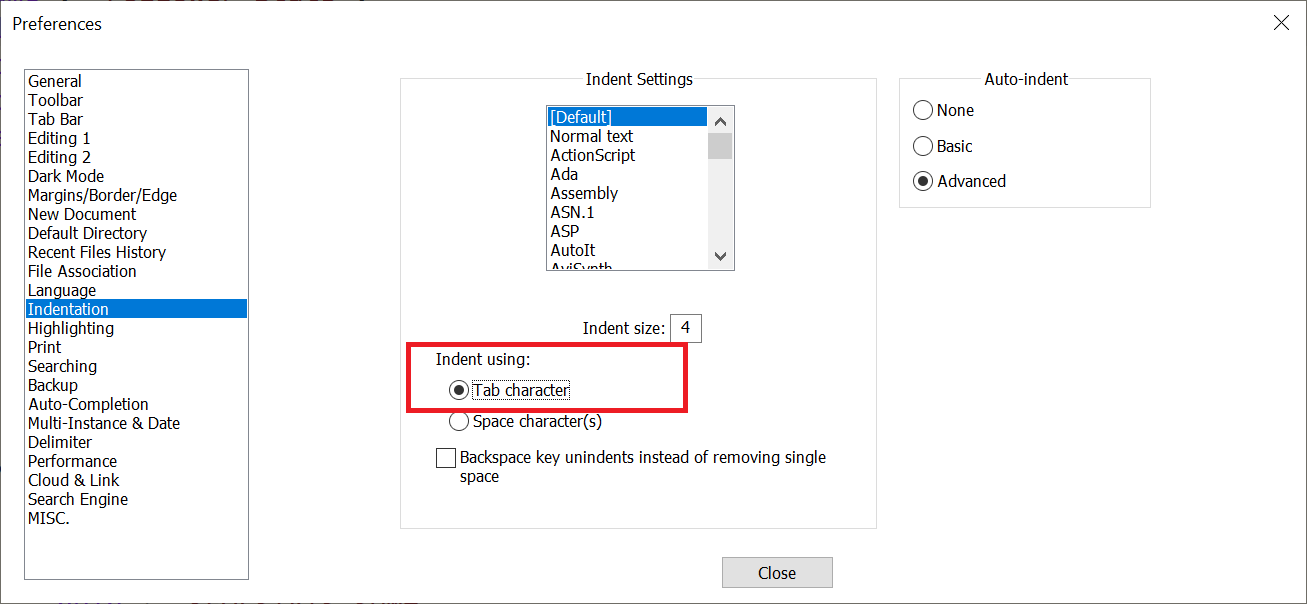
Now rule number 3: make sure it’s a Tab character separating the key and text. Some editors use spaces instead of tabs and when you press Tab, insert x number of space characters to represent a Tab. This is invalid and that faulty line gets ignored. In Notepad++ this is configured under Settings > Preferences:
Repeat this for all the texts the player sees. If everything’s gone well, you should see no difference in the MCM menu and it should work and display just as it did before. That’s success! Yay! What we’ve accomplished now is, other people can now override those translation files and translate / change the texts without touching our script files. This also safeguards against updates since now our worst-case scenario is the player with an un-updated language file will simply miss some texts, no harm is done.
Setting up other languages
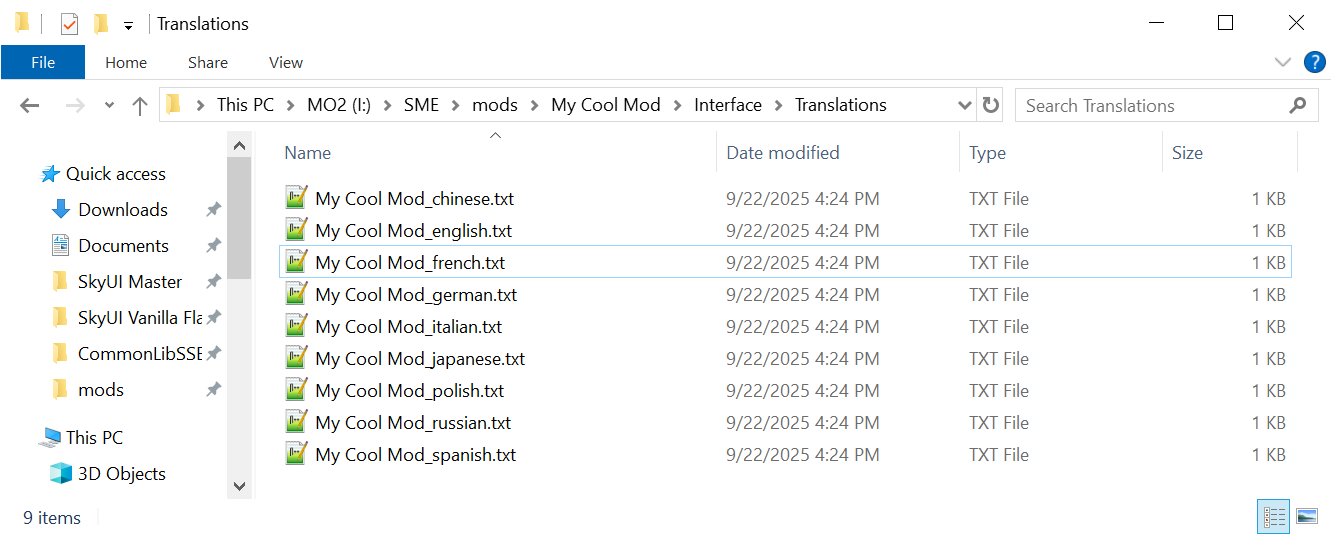
Here’s a new problem. When people use our mod in a non-English setup, they won’t be able to see any of it. This is because when a language file is missing the game does not default to English. Even if you don’t intend to translate everything yourself, you have to supply the translation files for all the available languages (you can just copy paste your _english.txt file so everyone will see the English texts). Since the game is translated to 8 other languages, we must duplicate our file for all of them:
And that’s that.
MCM Helper
MCM Helper
is an amazing tool. Not only it simplifies the process of making MCM
menus, but the persistent storage
feature
is an absolute godsend. MCM Helper uses a .JSON file for defining the
options. The process is not really different, instead of adding texts
into the .json file we use $KEY keys and translation files. The only
thing of note is in the .json we have two properties, modName and
displayName. modName is the actual plugin file’s name that the MCM
Helper will attach itself to, whereas the displayName is the text of
mod’s name that is displayed in MCM. You must only translate the latter,
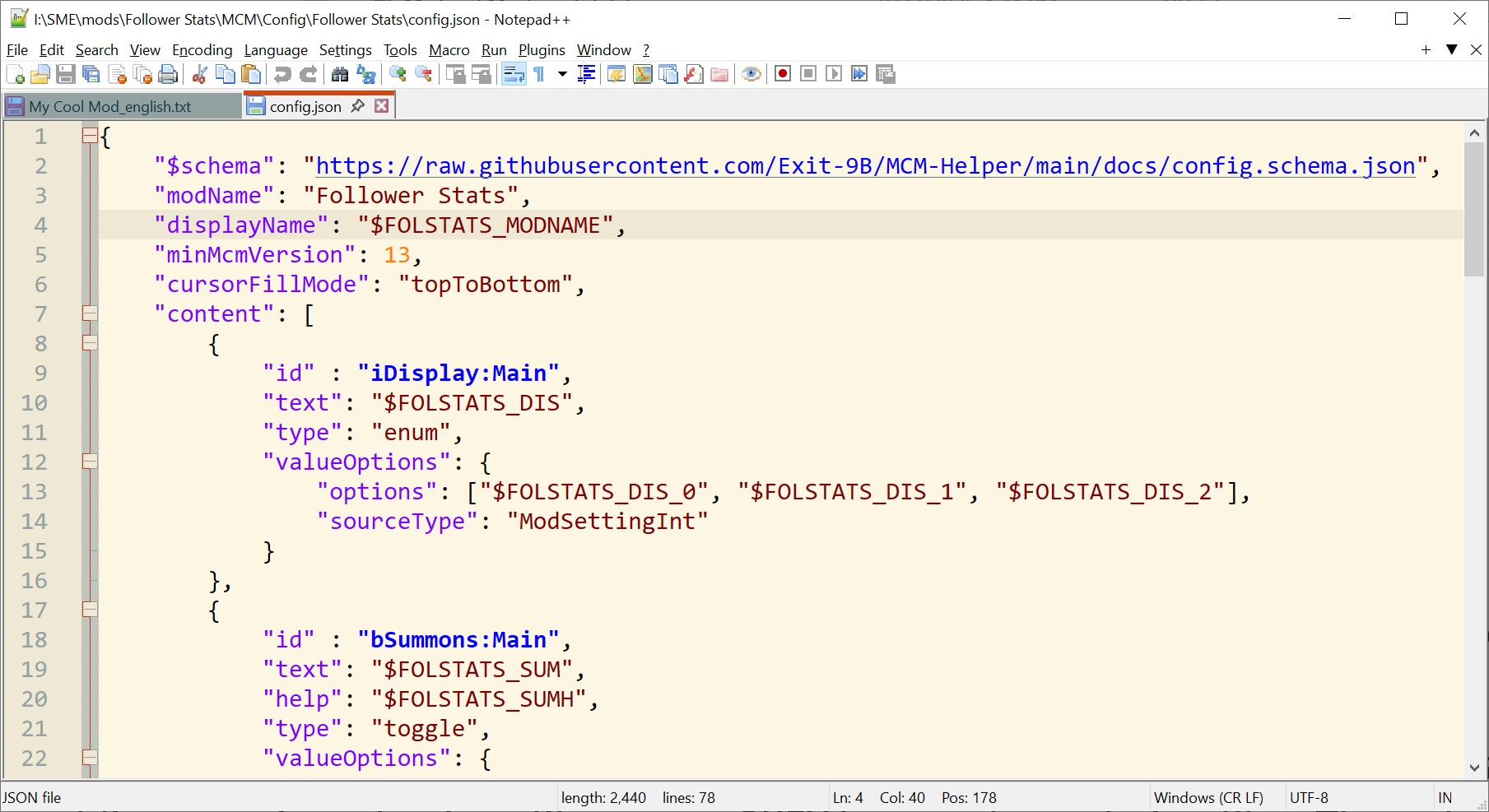
like so: